

This guide will help you understand what a proxy is, how it works, and why it plays an important role in online security, privacy, and automation.
Understanding Proxies
A proxy server acts as a middleman between your device and the internet. Instead of connecting directly to a website, your request first goes through the proxy, which then forwards it to the destination.Analogy: A Proxy is Like a Messenger
Imagine you want to order food from a restaurant, but you don’t want them to know your home address. Instead, you ask a friend (proxy) to pick up the food and deliver it to you. The restaurant only sees your friend’s address, not yours. Similarly, when using a proxy:- Your real IP address is hidden.
- The proxy server communicates with websites on your behalf.
- Websites see the proxy’s IP instead of yours.
How Does a Proxy Work?
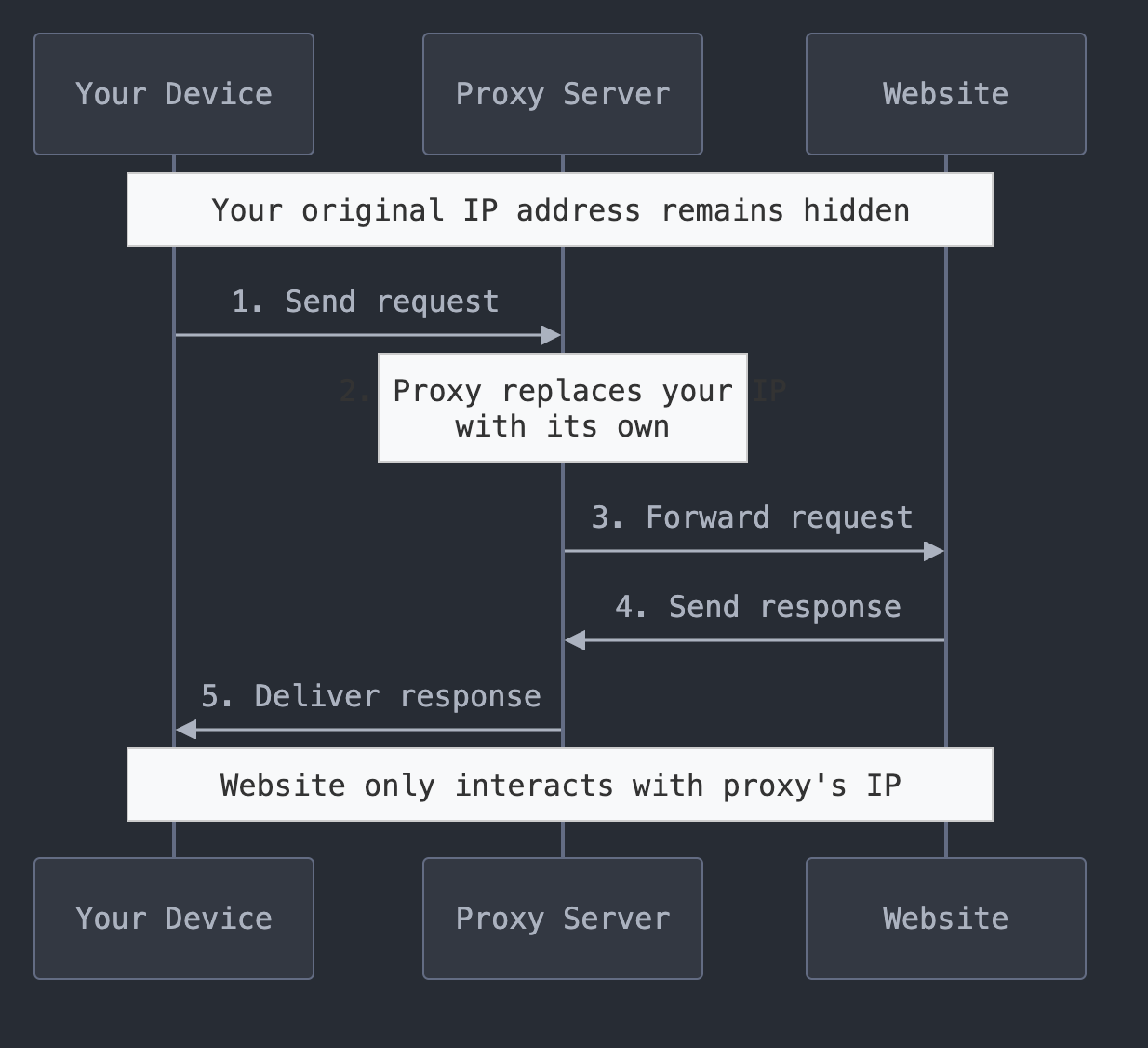
When you use a proxy, your internet traffic follows a four-step process:-
Sending the Request
- Your device sends a request to access a website or service (e.g., typing a URL into your browser).
- Instead of going directly to the website, the request first goes to the proxy server.
-
Forwarding the Request
- The proxy server receives your request and replaces your original IP address with its own IP address.
- It then forwards the request to the website as if it originated from the proxy itself.
-
Receiving the Response
- The target website processes the request and sends the requested webpage or data back to the proxy server.
-
Delivering the Response
- The proxy server receives the response and forwards it back to your device.
- You see the website content while keeping your original IP hidden.
Types of Proxies
1. Forward vs. Reverse Proxies
2. Residential vs. Datacenter Proxies
3. Rotating vs. Sticky Proxies
Why Use a Proxy?
1. Anonymity & Privacy
- Hides your real IP address.
- Prevents tracking and monitoring by websites.
2. Bypassing Geo-Restrictions
- Access location-based content (e.g., streaming, shopping).
- Browse as if you were in another country.
3. Security & Protection
- Prevents IP bans by masking requests.
- Reduces exposure to cyber threats.
4. Web Scraping & Automation
- Collect public data from websites without detection.
- Automate SEO monitoring, price tracking, and competitor analysis.
How to Choose the Right Proxy?
Final Tips
- Use rotating proxies for web scraping and automation.
- Choose residential proxies for bypassing geo-restrictions.
- Use a forward proxy for personal security and anonymity.
- Understand your use case before selecting a proxy type.