> ## Documentation Index
> Fetch the complete documentation index at: https://geonode.mintlify.site/llms.txt
> Use this file to discover all available pages before exploring further.
# Proxy Server Information
> How to find Proxy information from Geonode dashboard.
***
To connect to Geonode's proxy network, you need the **Proxy IP** and **Port**.
These details allow you to configure your applications, scripts, or browser to route traffic through Geonode's servers.
## **Steps: Get Proxy Credentials from Geonode**
1. Login to the Geonode Dashboard
Visit [Geonode Dashboard](https://app.geonode.com/) and sign in.
2. Go to the Proxy Section\
Navigate to the Proxies section to access your assigned proxy details.
3. Select the proxy format as: `hostname:port:username:password`
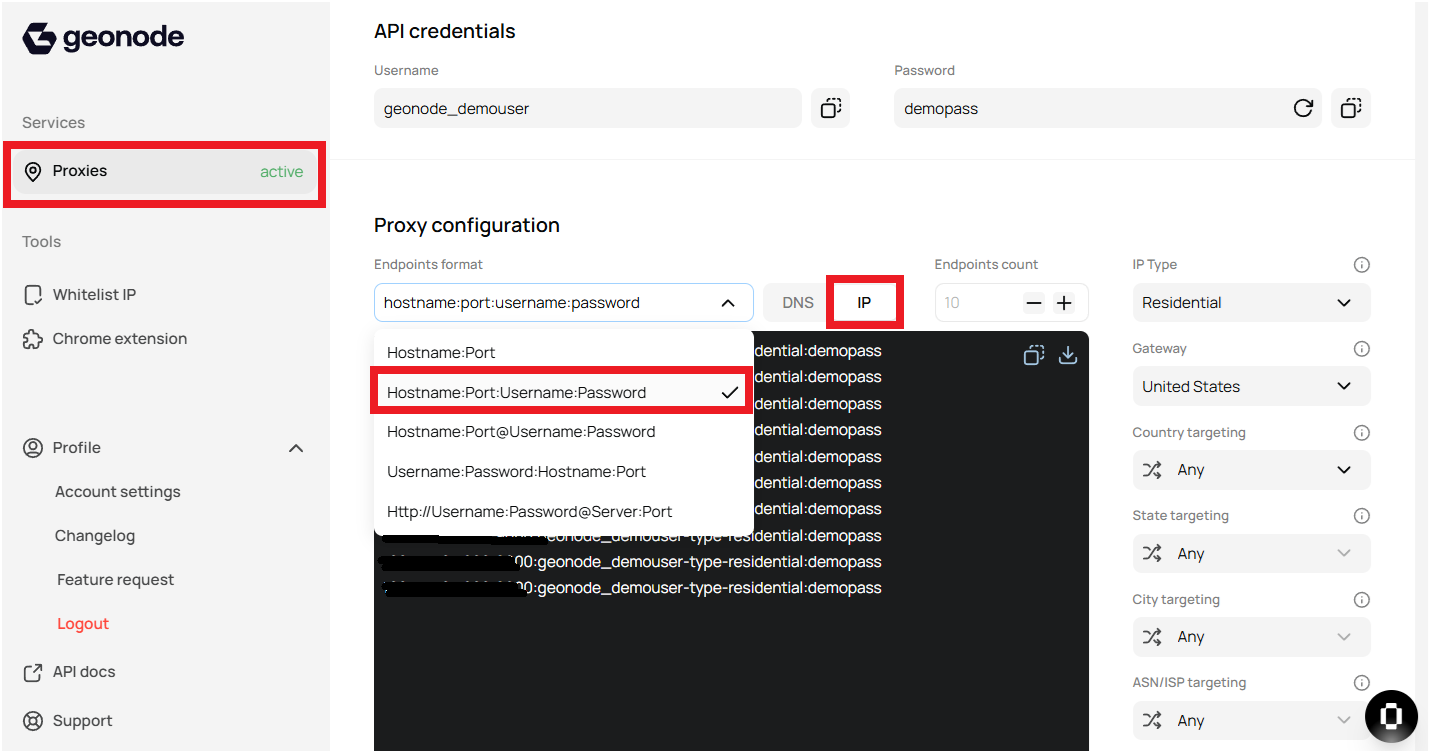 4. Copy the proxy details from the Geonode dashboard.
* Proxy IP: This is the server address you will use.
* Port: The port number required to establish a connection.
4. Copy the proxy details from the Geonode dashboard.
* Proxy IP: This is the server address you will use.
* Port: The port number required to establish a connection.
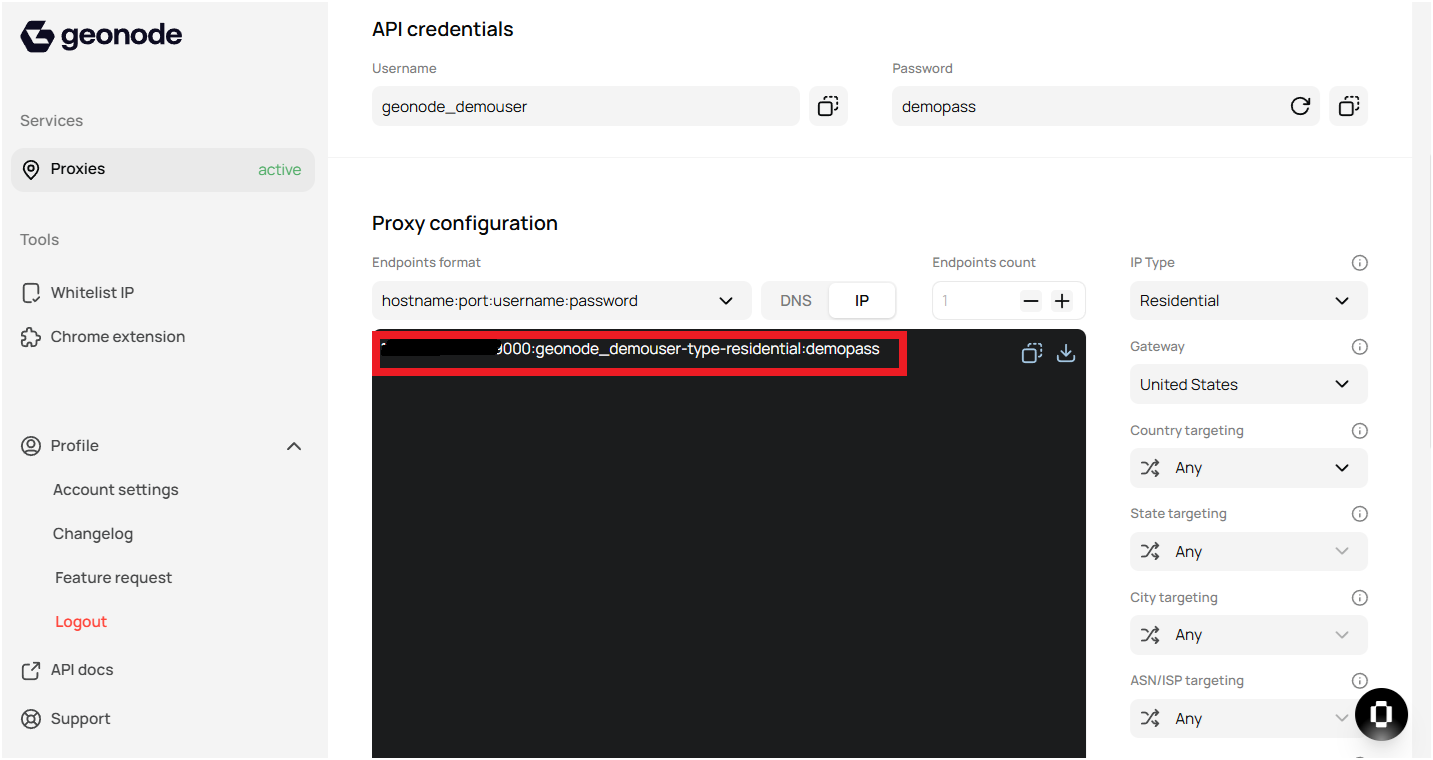 OR
Copy Your Proxy dns and Port
OR
Copy Your Proxy dns and Port
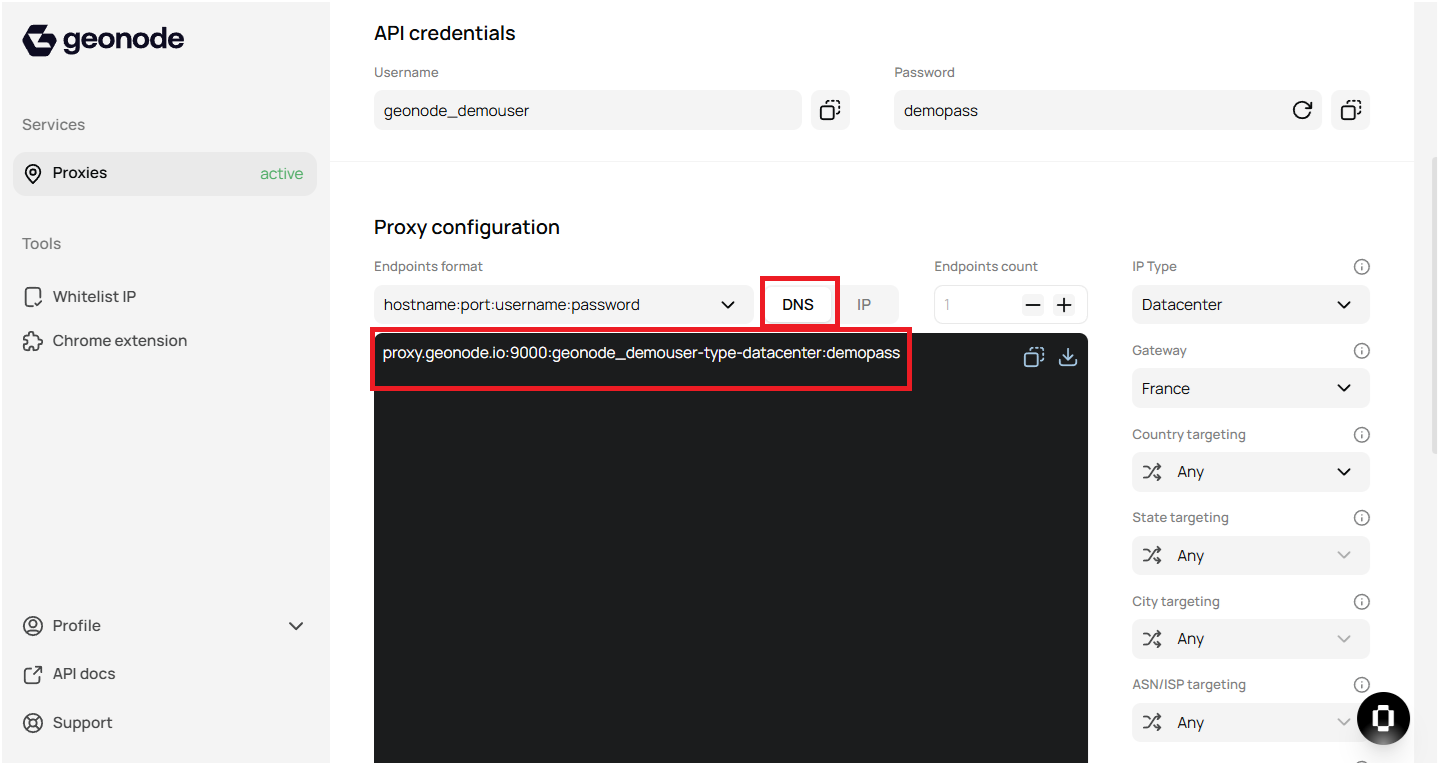 5. **Save These Details Securely**\
Do not share your proxy details publicly to avoid unauthorized usage.
## **Next Steps**
Once you have your proxy IP and port, you can:\
✔️ Use them in API requests.\
✔️ Configure them in your browser, terminal, or scripts.
5. **Save These Details Securely**\
Do not share your proxy details publicly to avoid unauthorized usage.
## **Next Steps**
Once you have your proxy IP and port, you can:\
✔️ Use them in API requests.\
✔️ Configure them in your browser, terminal, or scripts.