> ## Documentation Index
> Fetch the complete documentation index at: https://geonode.mintlify.site/llms.txt
> Use this file to discover all available pages before exploring further.
# Active Subscriptions
> Learn how to check your active subscription in Geonode.
***
This guide will help you find and manage your active subscription in Geonode.
***
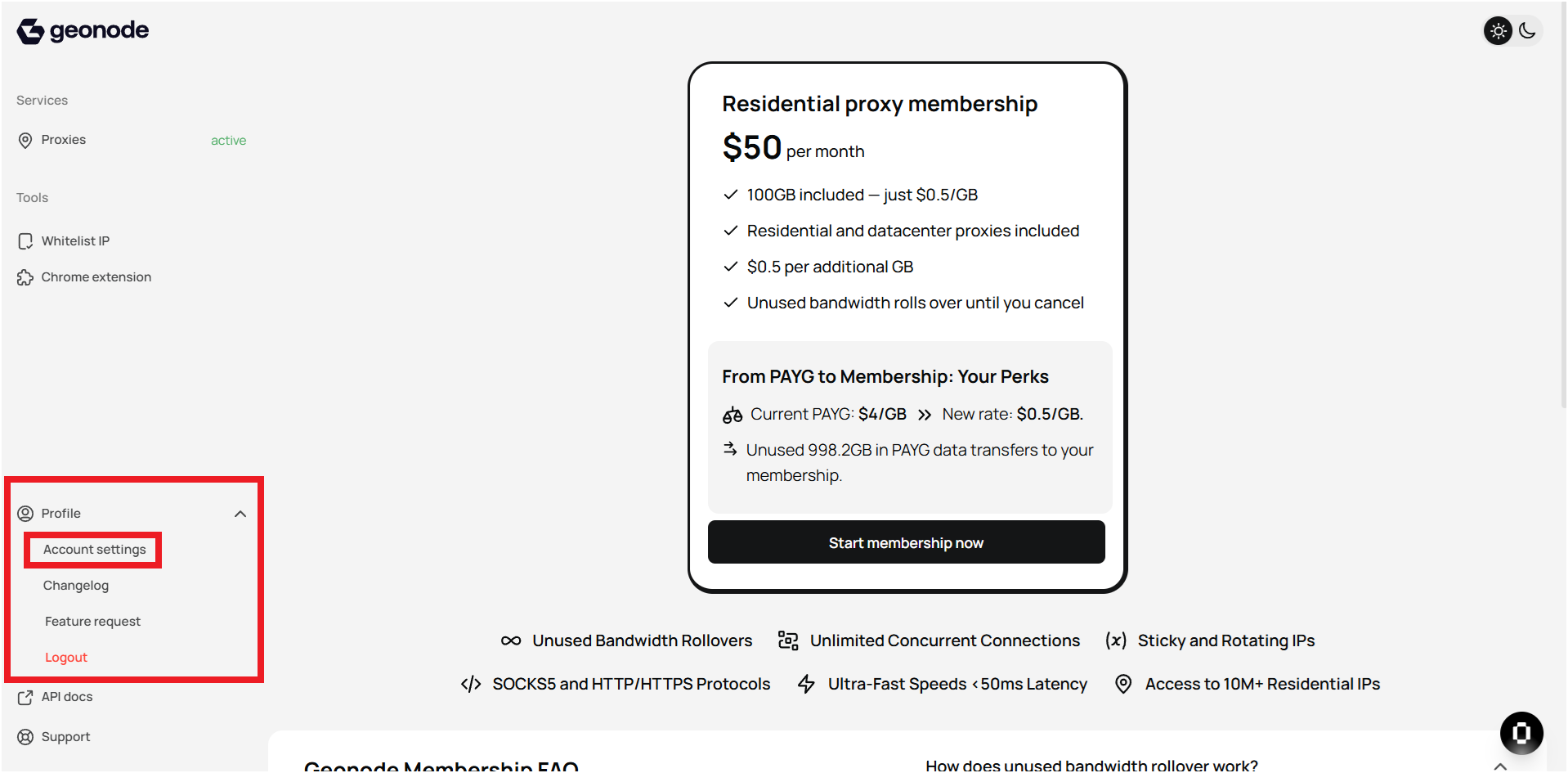
## **Step 1: Go to Profile Settings**
1. Log in to your Geonode account.
2. Navigate to the Profile Settings section.
 ***
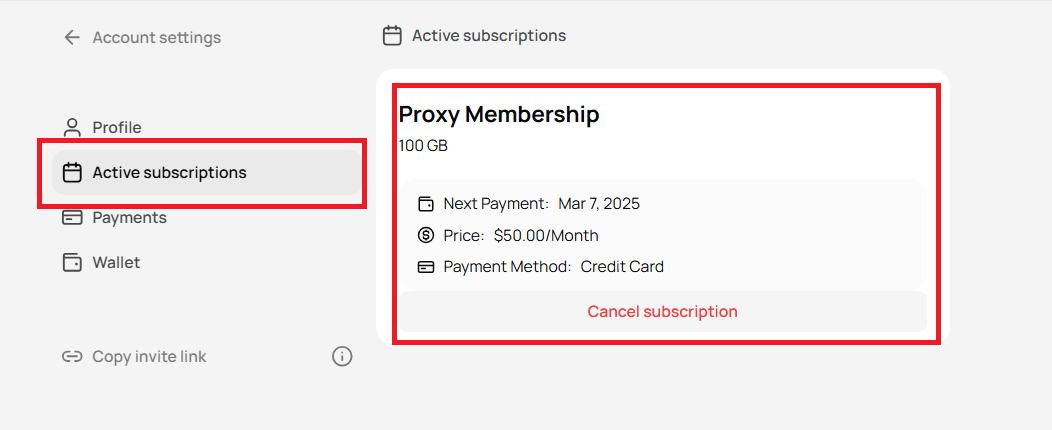
## **Step 2: View Your Active Subscription**
1. In the Profile Settings, click on the Active Subscriptions tab on the left.
2. You will see details of your current subscription plan.
***
## **Step 2: View Your Active Subscription**
1. In the Profile Settings, click on the Active Subscriptions tab on the left.
2. You will see details of your current subscription plan.
 ***
## **Final Tips**
* Ensure your subscription is active to continue using Geonode services.
* Check the renewal date to avoid service interruptions.
* If you need to upgrade or cancel, manage it from the billing section.
* If you encounter payment issues, contact [Geonode Support](https://geonode.com/contact).
By following these steps, you can easily track and manage your active subscription.
***
## **Final Tips**
* Ensure your subscription is active to continue using Geonode services.
* Check the renewal date to avoid service interruptions.
* If you need to upgrade or cancel, manage it from the billing section.
* If you encounter payment issues, contact [Geonode Support](https://geonode.com/contact).
By following these steps, you can easily track and manage your active subscription.