> ## Documentation Index
> Fetch the complete documentation index at: https://geonode.mintlify.site/llms.txt
> Use this file to discover all available pages before exploring further.
# How to Release Sticky Sessions
> Learn how to release sticky sessions in Geonode to refresh your proxy connection and free up resources.
***
This guide will show you how to release sticky sessions to refresh your proxy connection, switch to a new IP, or free up system resources.
***
## **Why Release a Sticky Session?**
Releasing a sticky session allows you to end the current connection and start a new one, providing flexibility and efficiency. This is useful when you need to:
* Switch to a different proxy IP for a new connection.
* Free up resources like ports or threads for other tasks.
* Improve security by refreshing your connection.
***
## **How to Release Selected Sticky Sessions**
Follow these steps to release specific sticky sessions in Geonode.
### **1. Select the Sessions to Release**
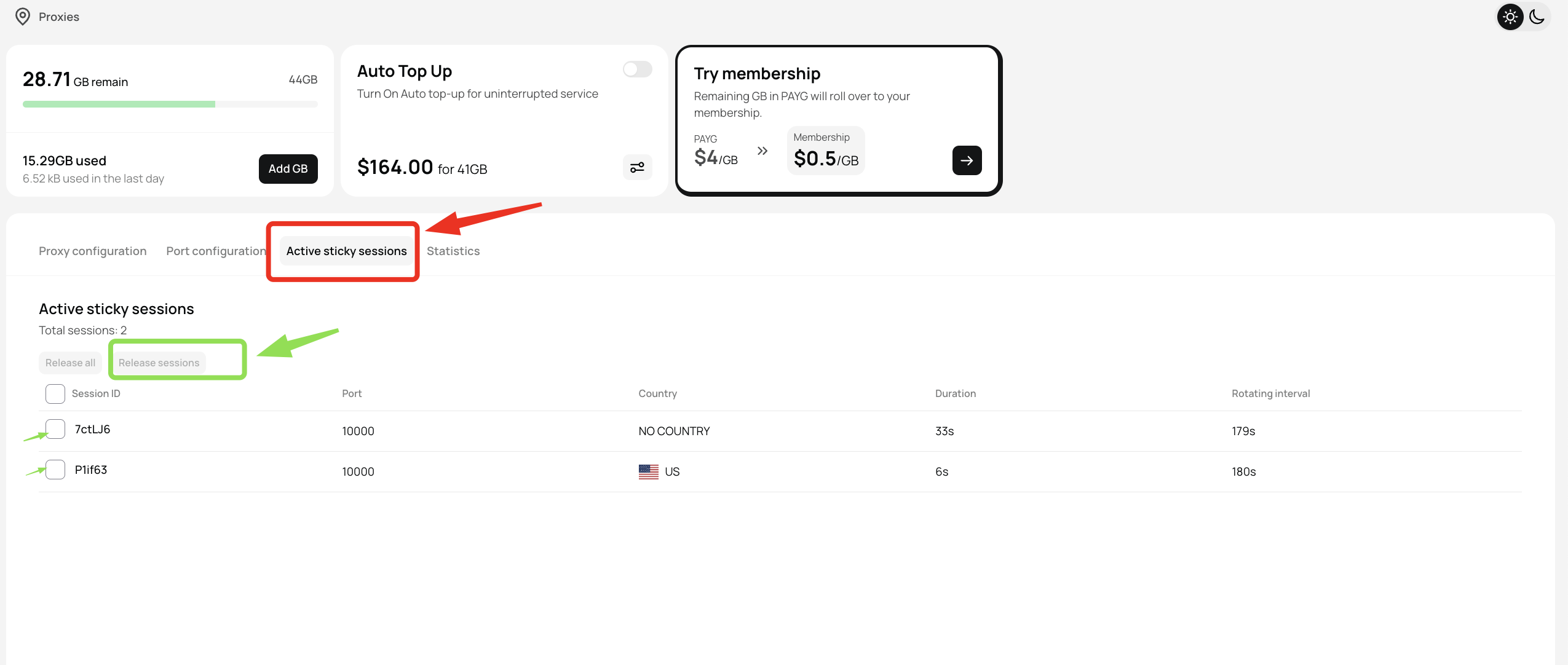
1. Go to the Active Sticky Sessions section in your Geonode dashboard.
2. Select the specific sessions you want to release. You can select multiple sessions at the same time.
 ***
### **2. Release Selected Sessions**
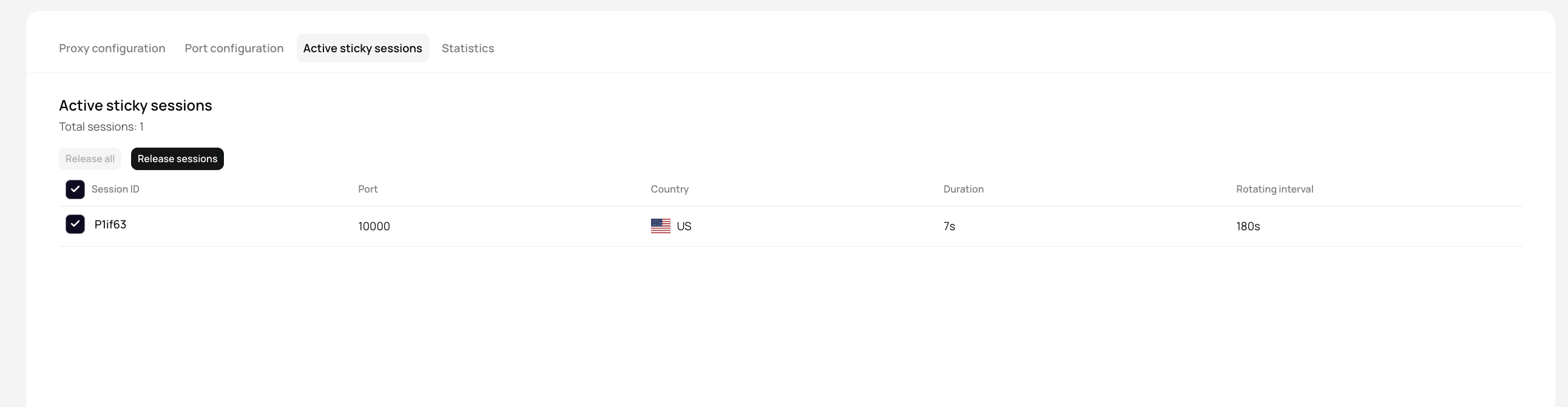
1. After selecting the sessions, click on "Release Selected".
2. Click "Release Sessions" to confirm.
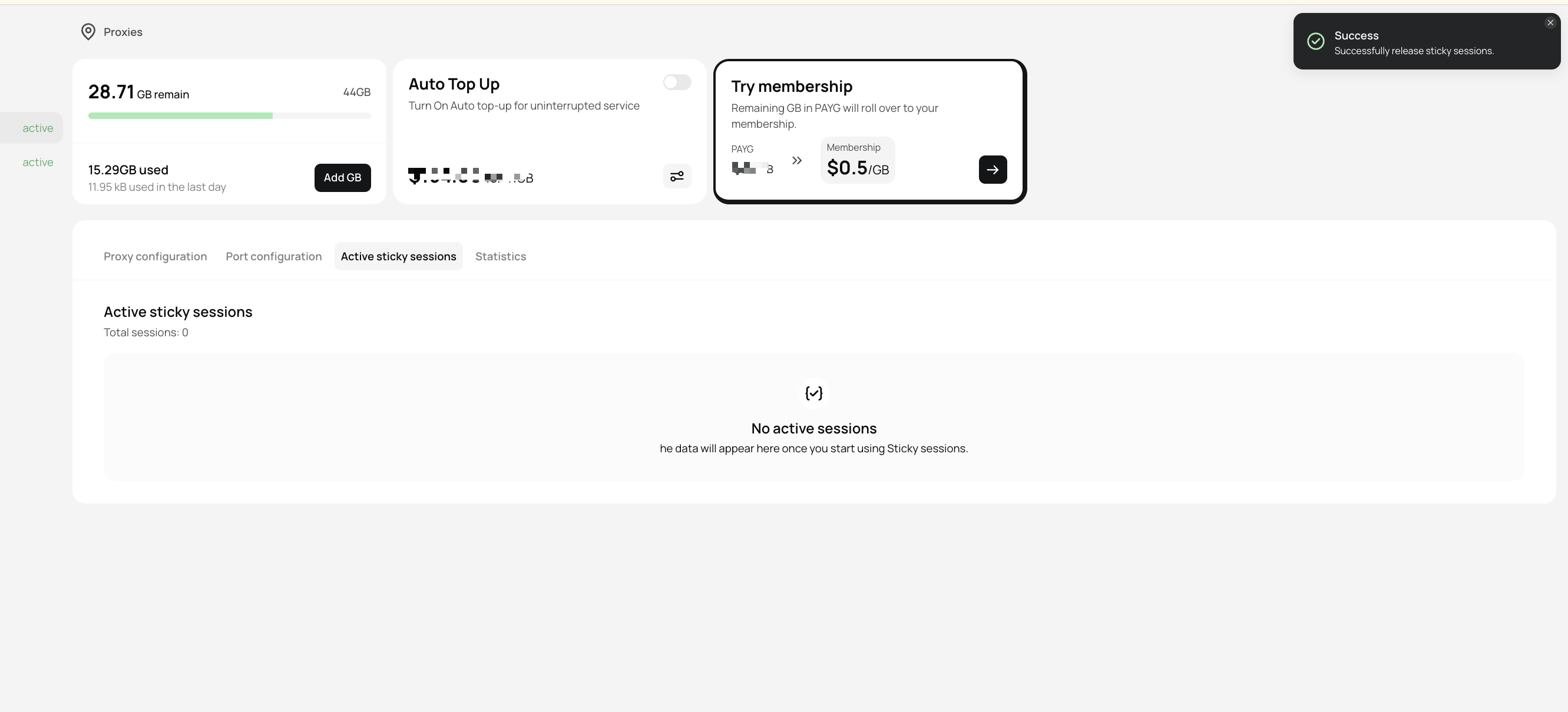
3. A success notification will appear once the sessions are released.
***
### **2. Release Selected Sessions**
1. After selecting the sessions, click on "Release Selected".
2. Click "Release Sessions" to confirm.
3. A success notification will appear once the sessions are released.
 ***
## **How to Release All Sticky Sessions (Optional)**
If you want to disconnect all active sessions at once, follow these steps:
1. Click on "Release All Sessions" in the dashboard.
2. Click "Release All" to confirm.
3. All active connections will be instantly released.
***
## **How to Release All Sticky Sessions (Optional)**
If you want to disconnect all active sessions at once, follow these steps:
1. Click on "Release All Sessions" in the dashboard.
2. Click "Release All" to confirm.
3. All active connections will be instantly released.
 ***
## **Final Tips**
* If you encounter any issue with a particular sticky session such as slower speed or no connection, release it and get a new IP
* Use "Release Selected" for individual sessions and "Release All" for bulk actions.
* Regularly refreshing sticky sessions improves security and performance.
***
## **Final Tips**
* If you encounter any issue with a particular sticky session such as slower speed or no connection, release it and get a new IP
* Use "Release Selected" for individual sessions and "Release All" for bulk actions.
* Regularly refreshing sticky sessions improves security and performance.